New software update

and new games

Update

Sakura

Our new sensory game is perfectly-suited for small children as it focusses on movement and sensory perception. It’s like the game, Awesome Forest, which you might know, but with more possibilities.

On the MyFloor platform, you can add your own graphics, sounds and pictures to the Sakura game template, and combine them as you’d like so the game is tailored to the user’s need.

We have already created 5 new Sakura games which you can find in our game library.

Spin It

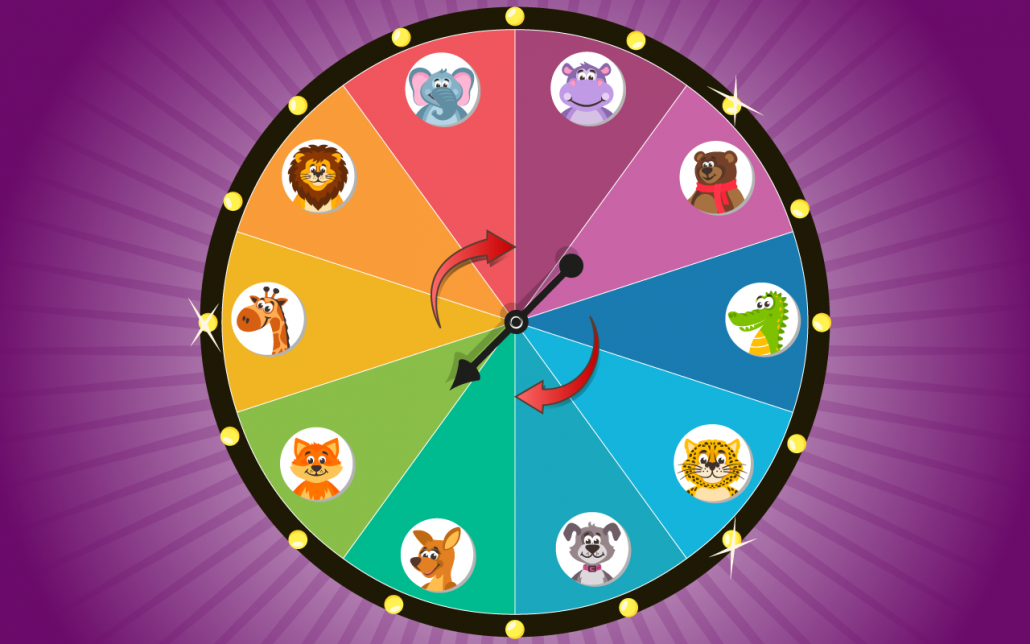
The popular game “Spin It” has gotten a new skin – this means that the next time you play it, it will look like this

But don’t worry – the classic “Spin It” design still exists. Now it has just been added as a skin to the game “Spin it”.

New languages on MyFloor

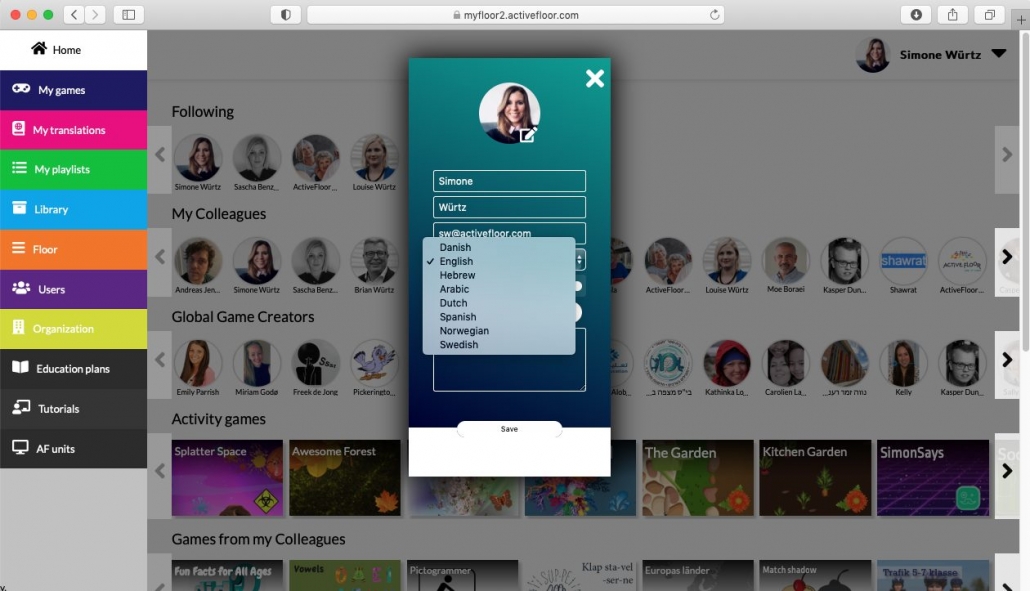
Now you can choose between the following languages on the MyFloor platform: Danish, English, Hebrew, Arabic, Swedish, Norwegian, Spanish and Dutch.

Editing the menu

  • Bundles
  • Sorting playlists
  • Moving playlists to other rows

With the three new functions: bundles, sorting and moving playlists to other rows, it will become a lot easier for you to structure your main menu.


Bundles

With bundles, you can now sort your playlists into joint folders. For instance, you might want a joint folder for your third grade where all their playlists for Maths, English and History are – and the same thing goes for the other grades.

We have taken inspiration from phones, where you can sort your apps into various folders. You can of course choose not to sort your playlists into folders, if you don’t have the need.

When you step on the folder on the floor, it will open and show its content.

Sorting playlists

It is now possible to sort you rows in the main menu: you can choose which order you would like your playlists, games or bundles to appear in, in the various rows.

Moving playlists to other rows

The last new function in the menu is that you can now move your playlists to the row you would like. In that way, if a playlist is in the wrong row, you can simply move it to another.

Ready for your
own success
story?

Do you have questions, need sparring, or simply want to hear how our interactive learning universe can make a difference for you?
Write to us – we’re always up for a conversation that sparks new ideas.

You won’t be filling out a form that disappears into cyberspace – we respond quickly and personally.

Address:
Helgeshøj Allé 28
2630 Taastrup

Contact & Support:
hello@activefloor.com
+45 31 700 729

Contact us

Contact - ENG